How do I create a pay run?
Step 1. Go to Payroll → Pay Runs and click New Pay Run.
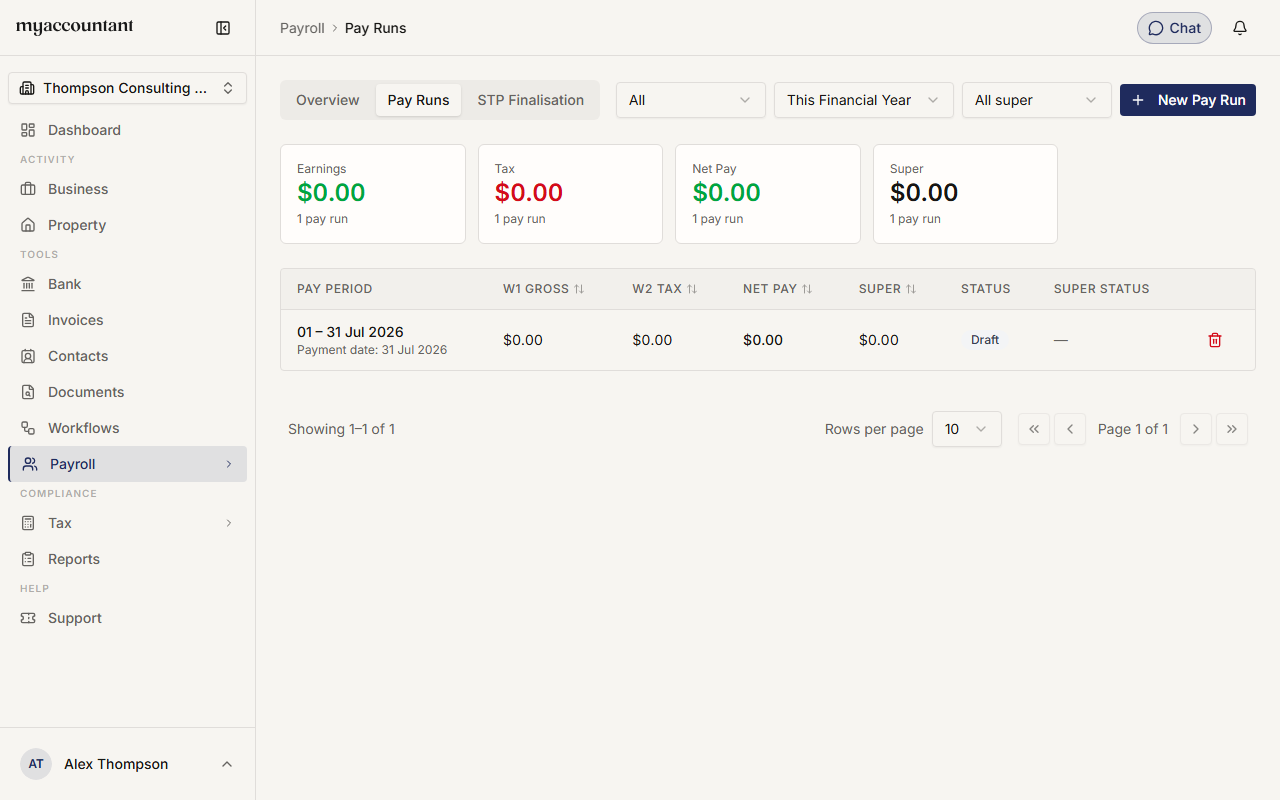
Step 2. Choose the Pay Frequency — Weekly, Fortnightly or Monthly.
Step 3. Set the Period Start Date. The Period End Date and Pay Date fill in automatically — adjust them if you need to.
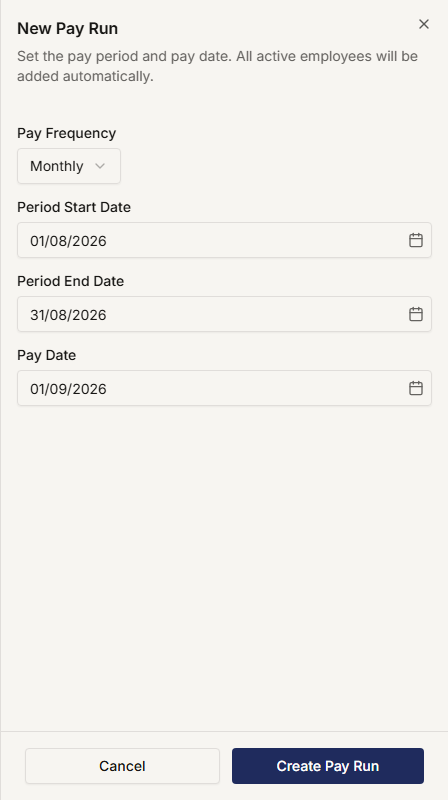
Step 4. Click Create Pay Run. All your active employees are added to it automatically.
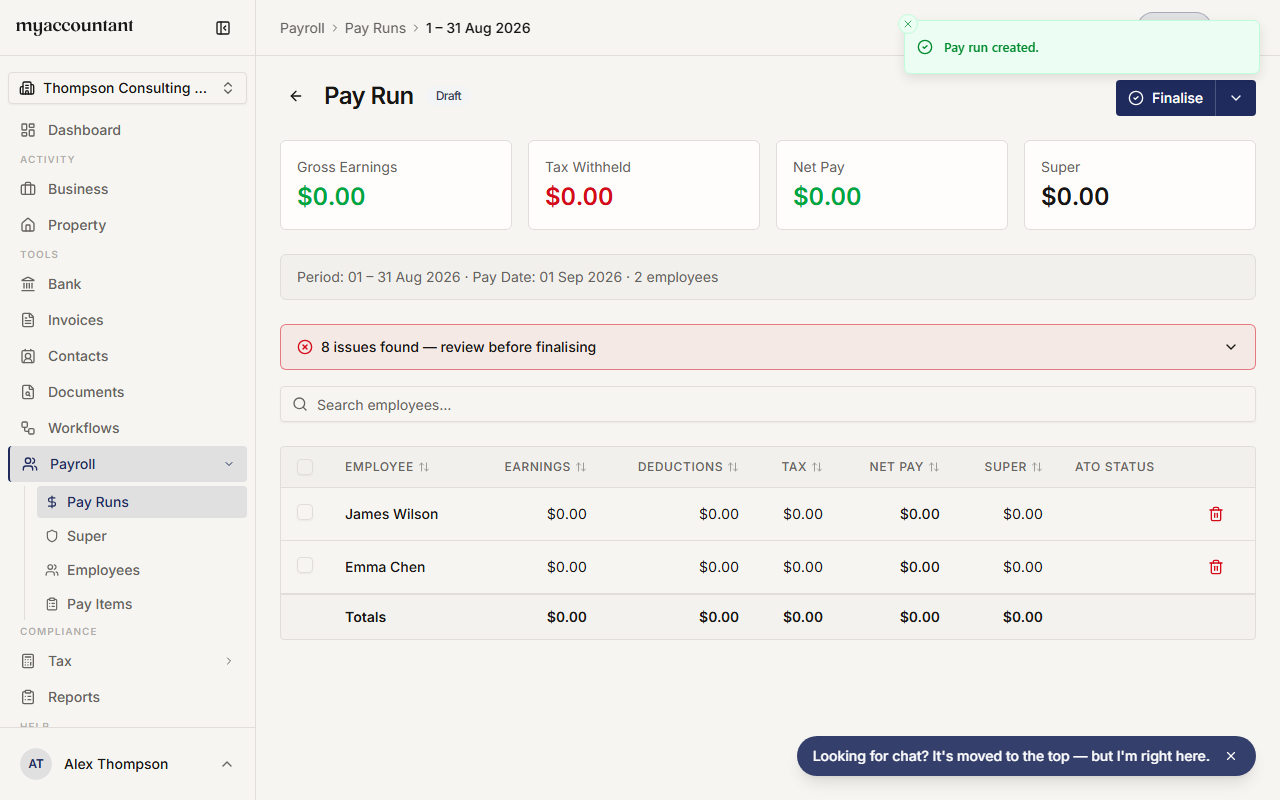
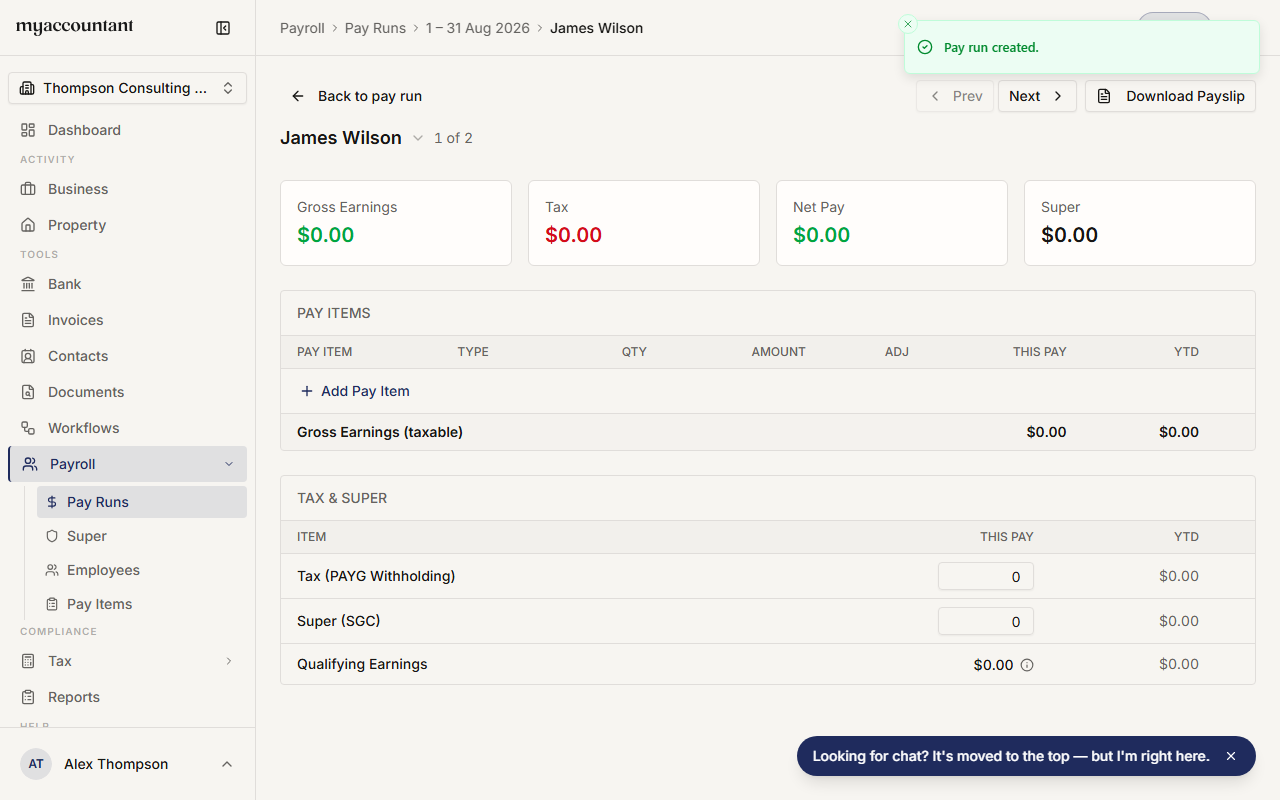
Step 5. Review each employee's pay. Click an employee to open their pay and adjust earnings, hours, allowances, leave, deductions, tax or super. The summary cards at the top show the totals (Gross Earnings, Tax Withheld, Net Pay, Super — plus Lump Sums & Terminations and Deductions cards when those amounts aren't zero).
Step 6. Use Add Employee to include anyone who's missing, or the row's trash icon to remove someone.
Step 7. When everything looks right, click Finalise — see How do I finalise a pay run?
New pay runs are saved as Draft until you finalise them.
Related guides
Did this answer your question?
Thanks for your feedback.